Disconnect a dApp
Disconnect a dApp
-
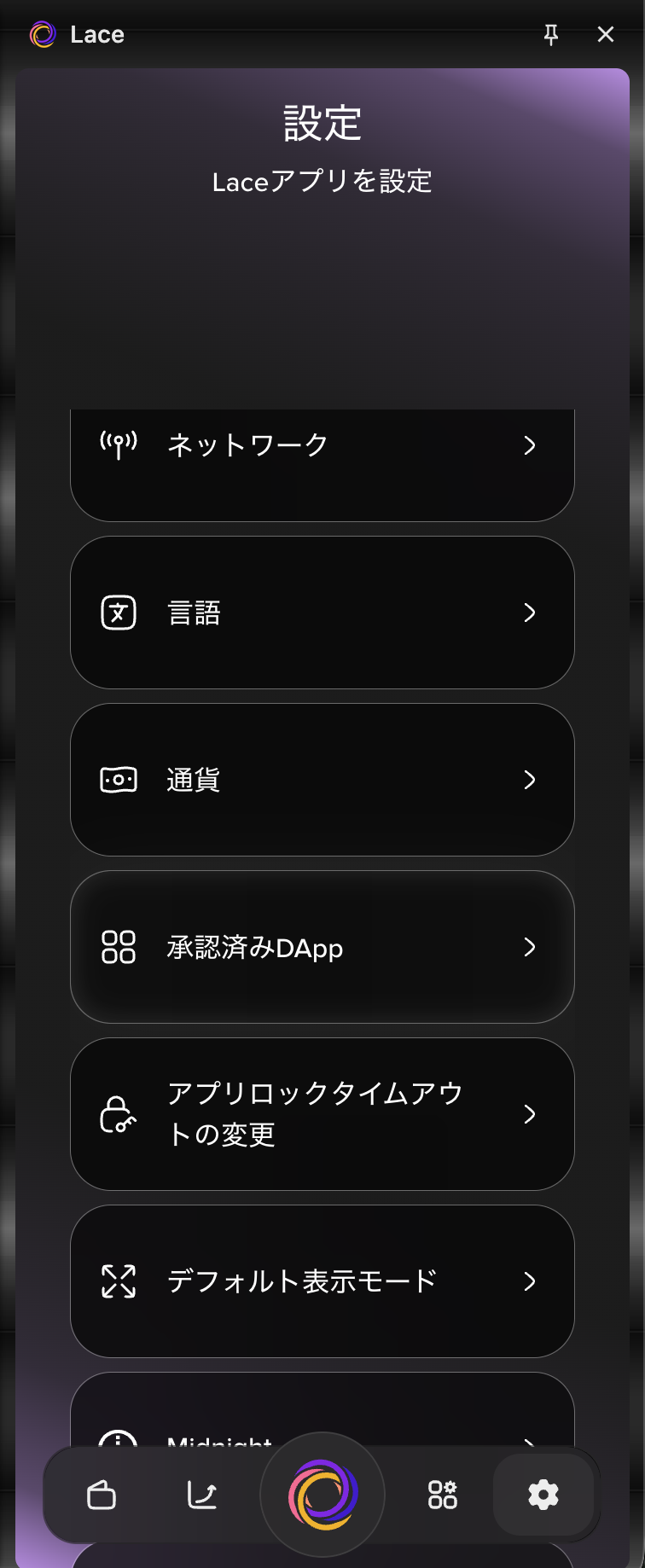
Select the Settings icon in the bottom-right corner, then select Approved dApps.
-
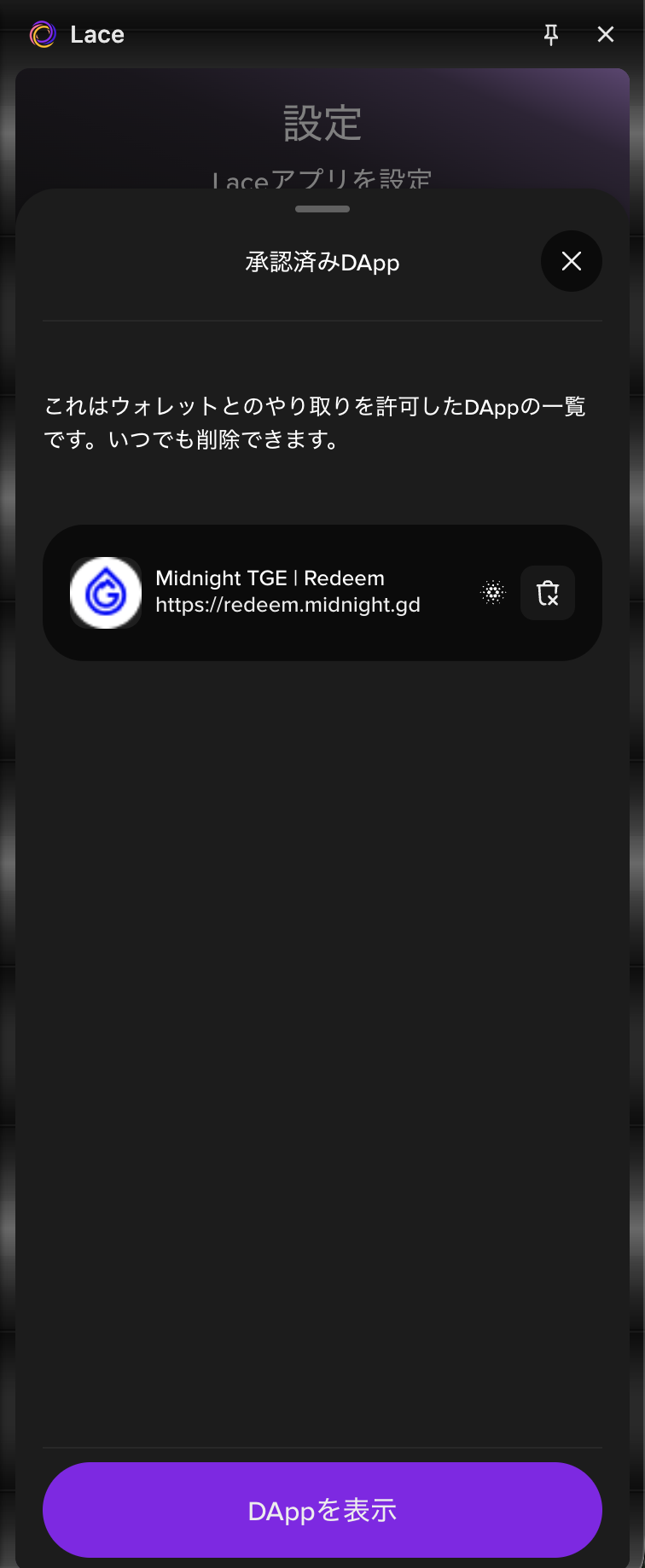
Select the trash icon next to the dApp you want to disconnect.
-
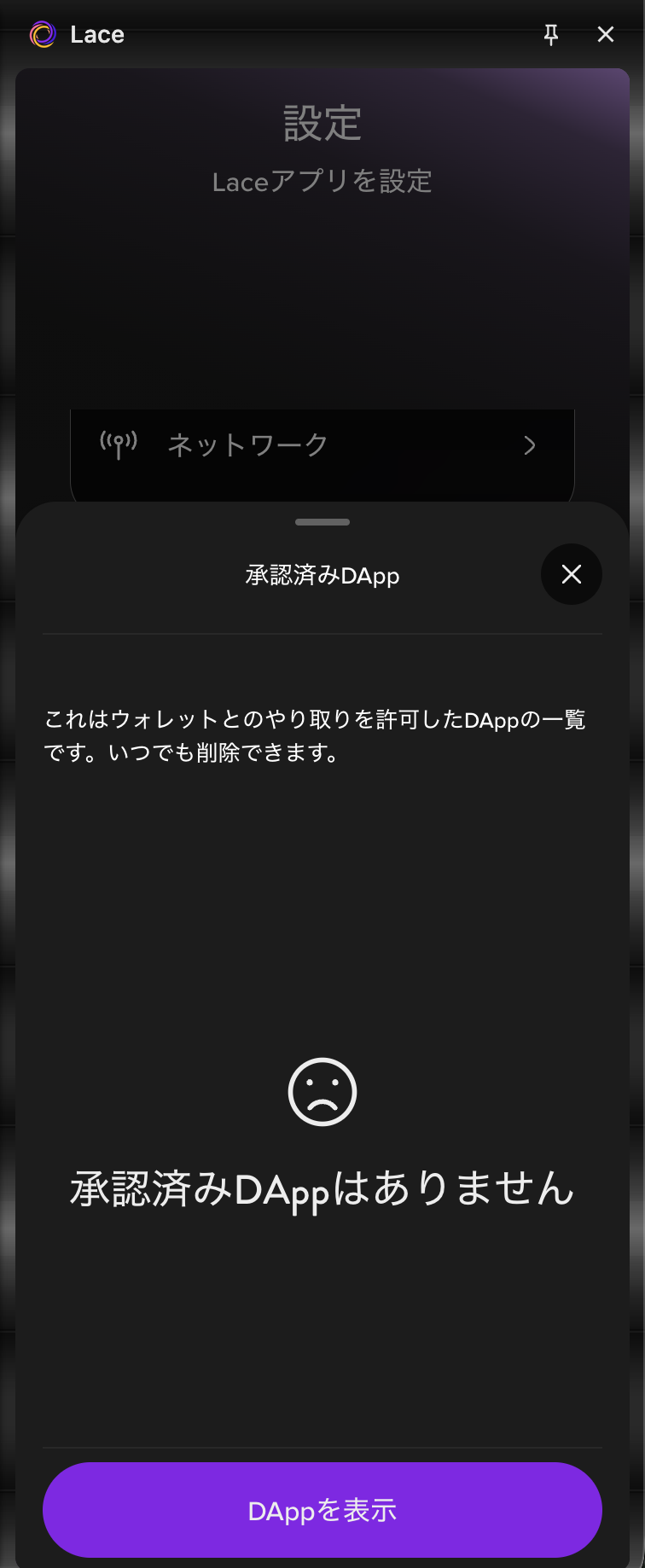
The dApp has been disconnected.
Select the Settings icon in the bottom-right corner, then select Approved dApps.
Select the trash icon next to the dApp you want to disconnect.
The dApp has been disconnected.