Redeeming NIGHT
This page explains the steps to redeem NIGHT.
For wallets that were compromised due to the SecondFi wallet incident, please follow the official instructions.
This guide explains how to restore an uncompromised wallet and redeem NIGHT.
The NIGHT Redemption Portal does not support mobile devices, so NIGHT cannot be redeemed using the mobile version of Lace.
Access the NIGHT Redemption Portal from a desktop or laptop computer and connect Lace.
This guide uses Lace as an example.
Preparation
- Restore your wallet.
Restore your wallet in Lace using the recovery phrase for the wallet to which NIGHT was allocated through Glacier Drop and Scavenger Mine.
How to restore a wallet using a recovery phrase in Lace
- Check your authorized DApp connections.
Another Lace account may be connected to the NIGHT Redemption Portal, so disconnect the DApp beforehand.
How to disconnect an authorized DApp
- Make sure the restored wallet has a sufficient ADA balance to cover transaction fees.
As a guideline, we recommend having a balance of 10 ~ 20 ADA or more.
For information on sending and receiving, please refer to this guide.
Redeeming NIGHT
-
Open Lace and enter your password to unlock your wallet.
-
Go to https://redeem.midnight.gd/.
-
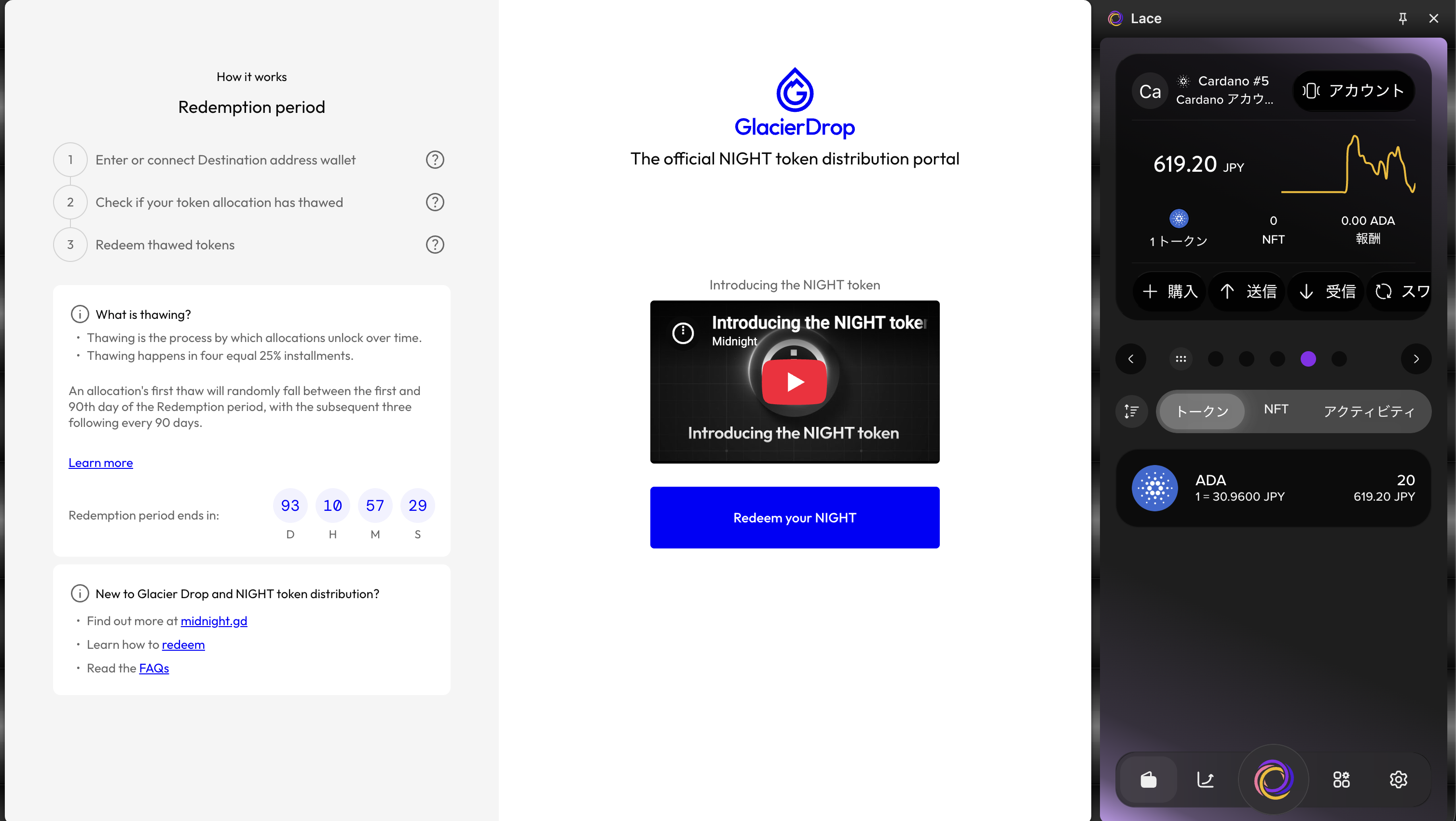
Select the "Redeem your NIGHT" button.
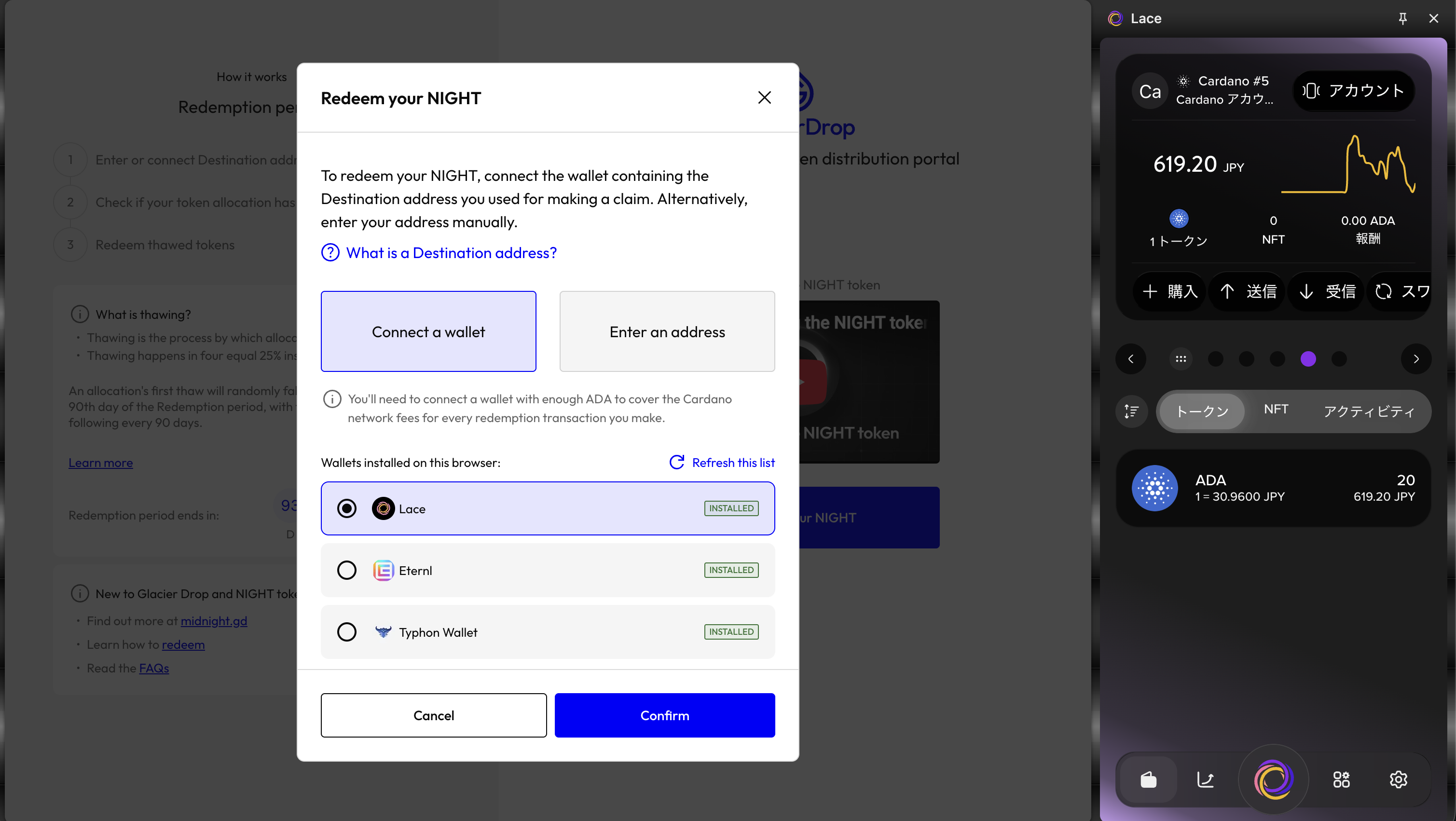
- Select "Connect a wallet" → "Lace", then select the "Confirm" button.
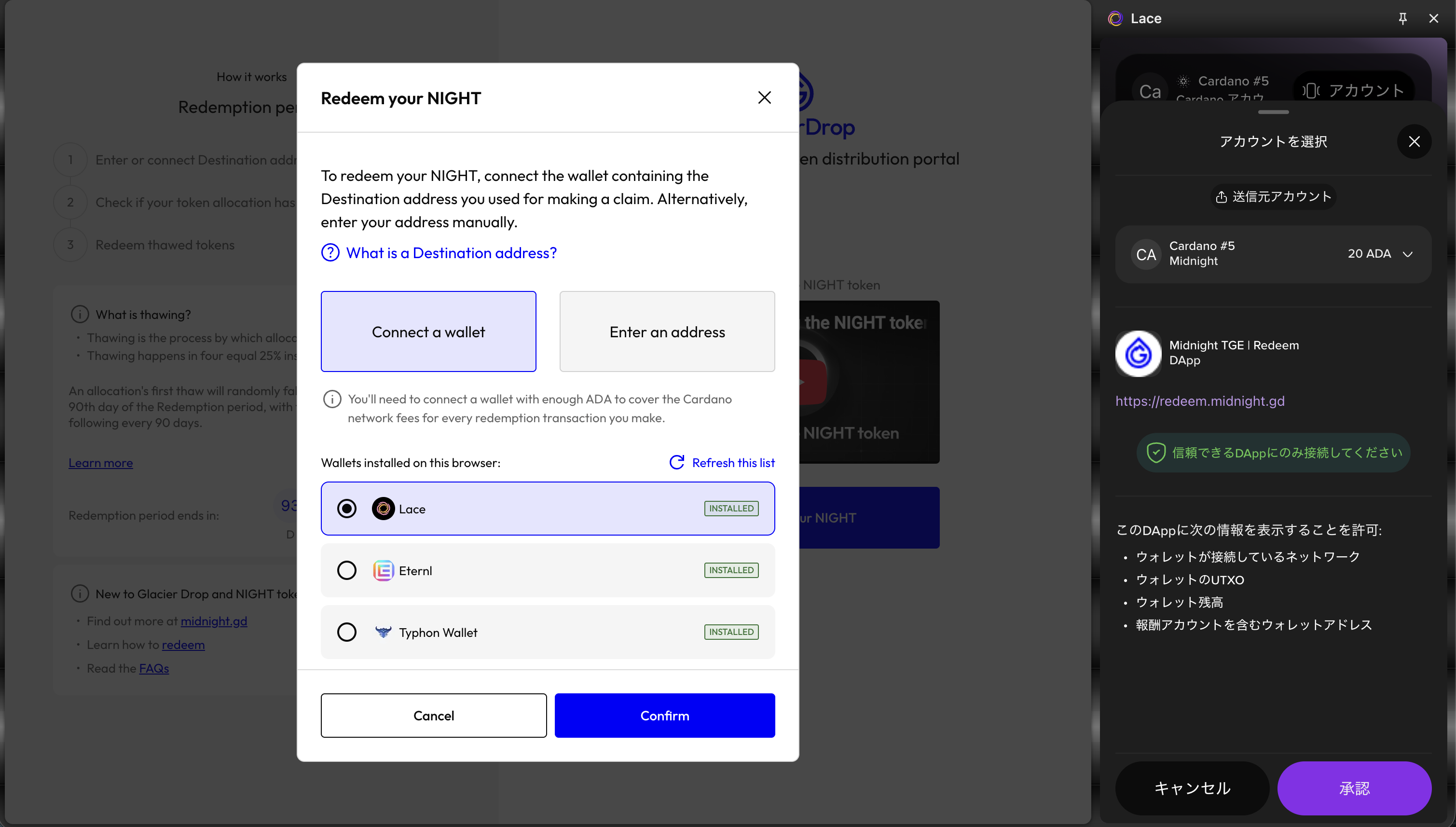
- A pop-up window will appear in Lace. Under "Select account", select the wallet you restored earlier, then select the "Approve" button.
- Check the amount of NIGHT available for redemption, then select the "Redeem" button.
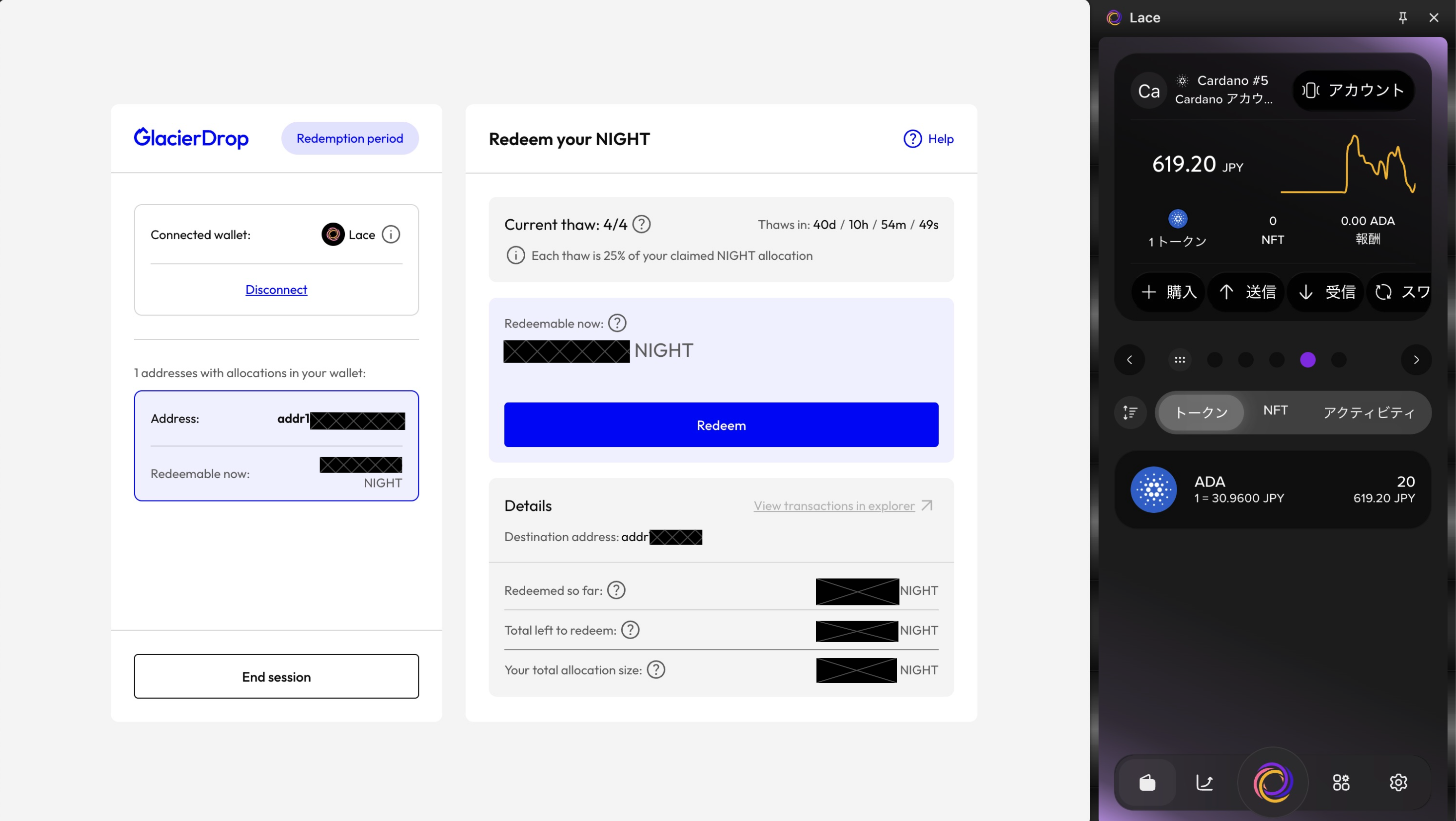
- Select the "Redeem" button.
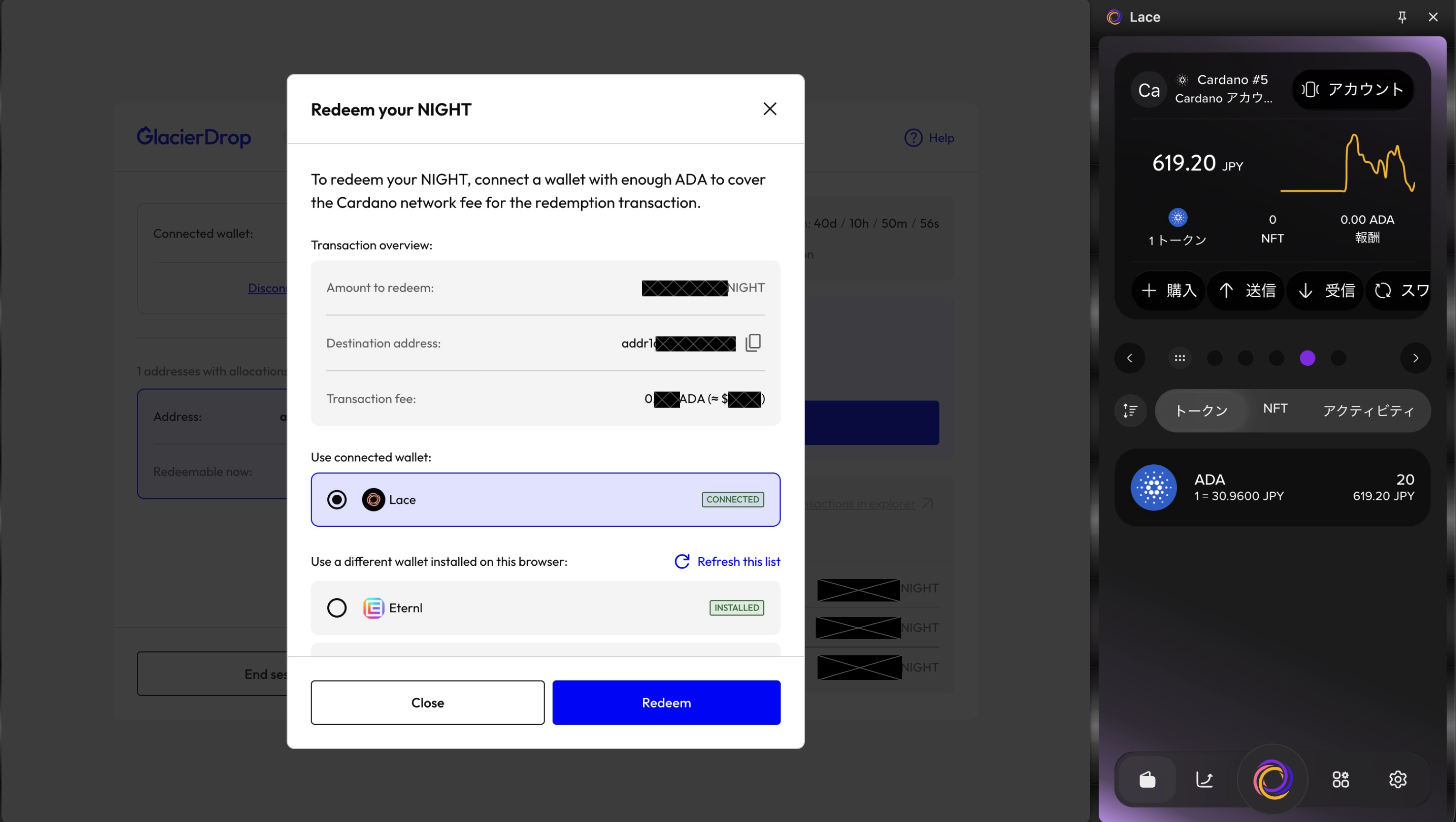
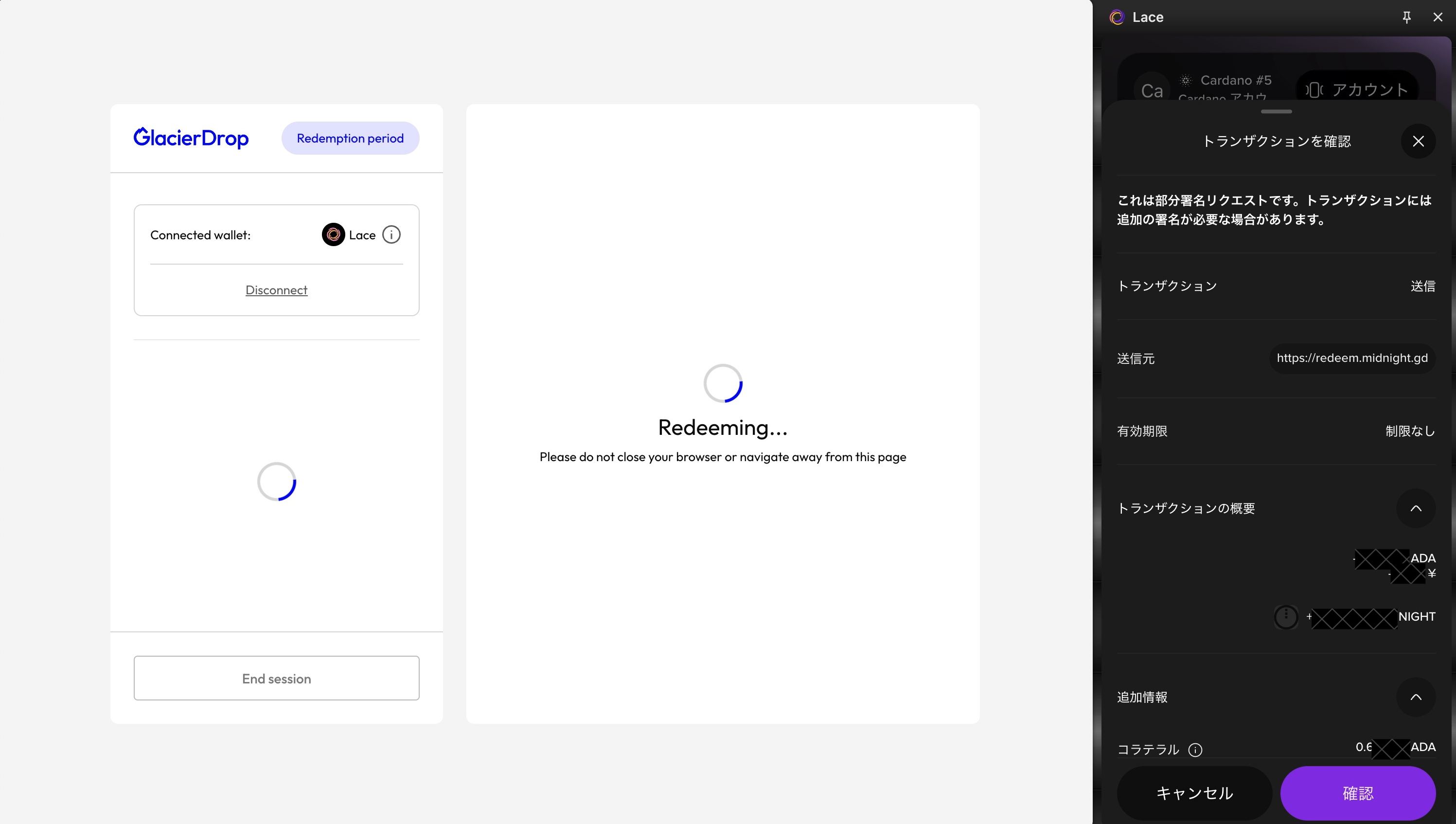
- "Redeeming..." will be displayed, and a transaction confirmation screen will appear in Lace. Select the "Confirm" button.
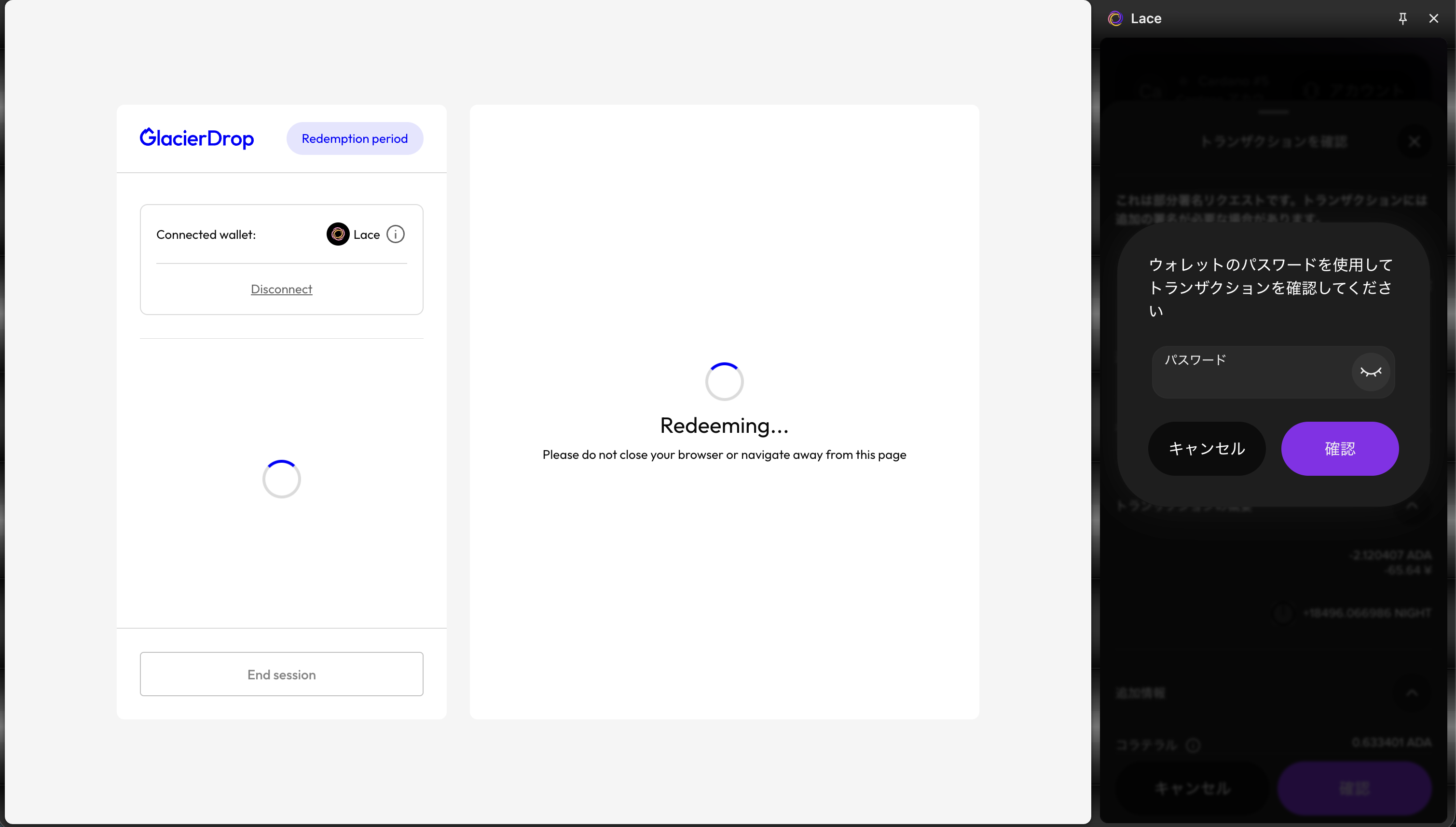
- Enter your password in Lace, then select the "Confirm" button.
- When "Completed!" is displayed, select the "Close" button and check that you have received your NIGHT.
Wait for the status to change from
Redemption pending→Redemption successful.
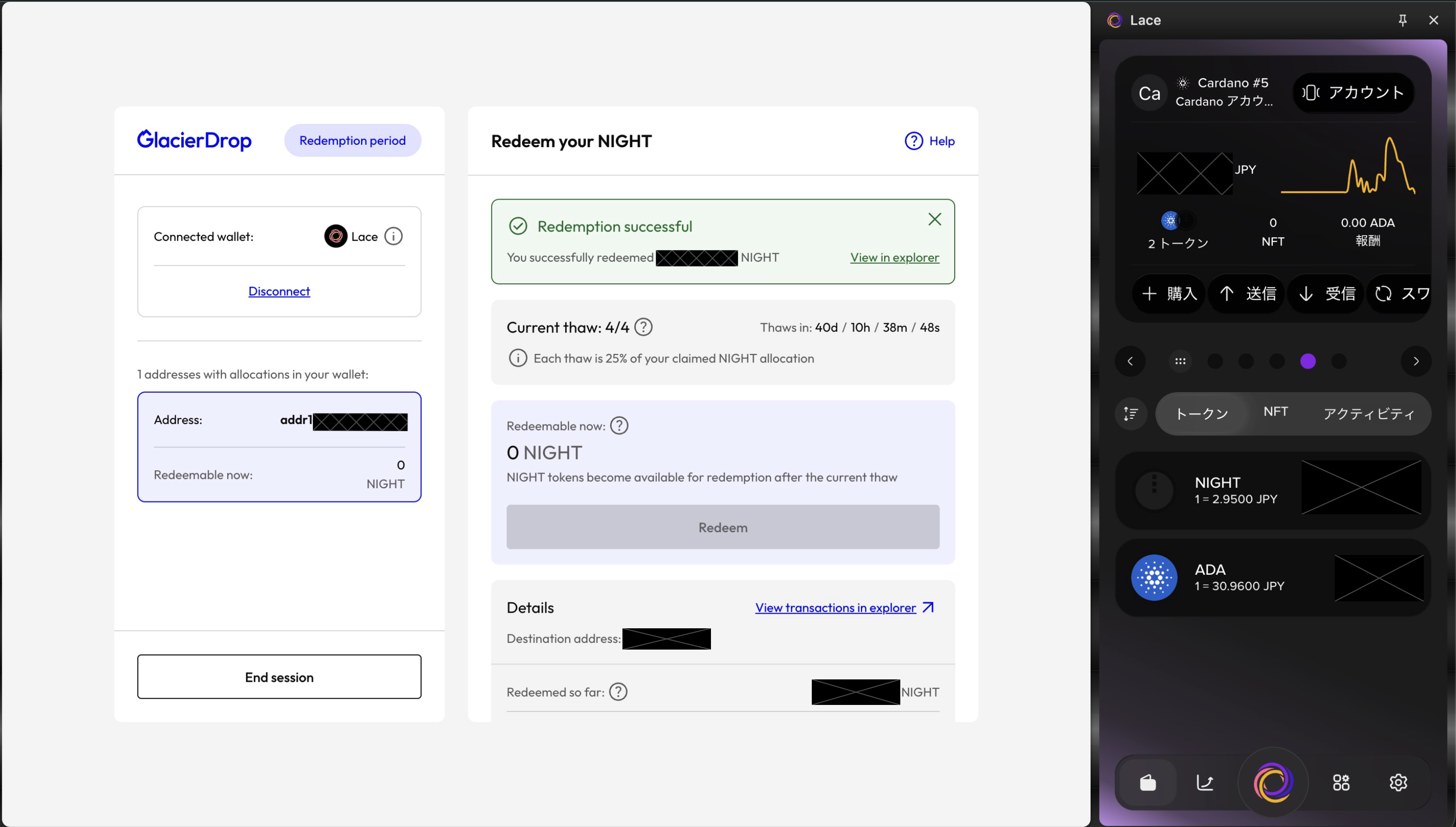
This completes the NIGHT redemption process.